Single Email Verification
The Single Email Verification feature allows you to verify a single email address to determine its validity and deliverability. This can help you reduce bounce rates and improve the effectiveness of your email campaigns.
How to Verify an Email Address
To verify an email address, follow these steps:
- Navigate to the Single Email Verification page in your Bouncify account.
- Enter the email address you want to verify in the input field.
- Click the Verify Email button.
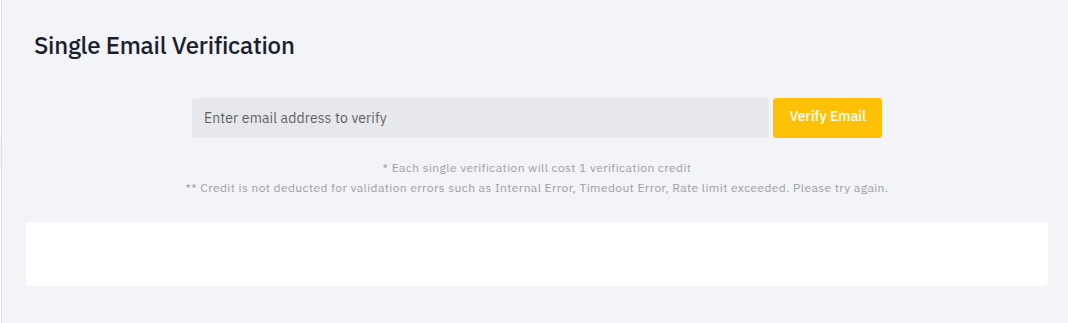
Each single verification will cost 1 verification credit. Credit is not deducted for validation errors such as Internal Error, Timeout Error, or Rate limit exceeded.
Verification Results
Once the verification is complete, you will see the following results:
Verification Result
This section provides a summary of the verification result, including the email address that was verified and its deliverability status.
- Deliverable: This address can receive emails.
Address Analysis
This section provides a more detailed analysis of the email address, including the following:
- Role based email: Indicates whether the email address is associated with a specific role (e.g.,
admin@,support@). - Free email service: Indicates whether the email address is from a free email provider (e.g., Gmail, Yahoo).
- Disposable email: Indicates whether the email address is a temporary, disposable email address.
- Spamtrap: Indicates whether the email address is a known spamtrap.
Verification API Response
This section provides the complete API response for the verification, including the following information:
{
  "result": "deliverable",
  "message": "This address can receive emails.",
  "email": "johndoe@yahoo.com",
  "user": "johndoe",
  "domain": "yahoo.com",
  "accept_all": 1,
  "role": 0,
  "free_email": 1,
  "disposable": 0,
  "spamtrap": 0,
  "success": true
}