Acceptable CSV Format
We support uploading your email list from a CSV (comma separated value) file. You can use any spreadsheet program such as Google Sheets or MS Excel to convert the email data to CSV format.
Please follow these guidelines to ensure your CSV file is processed correctly:
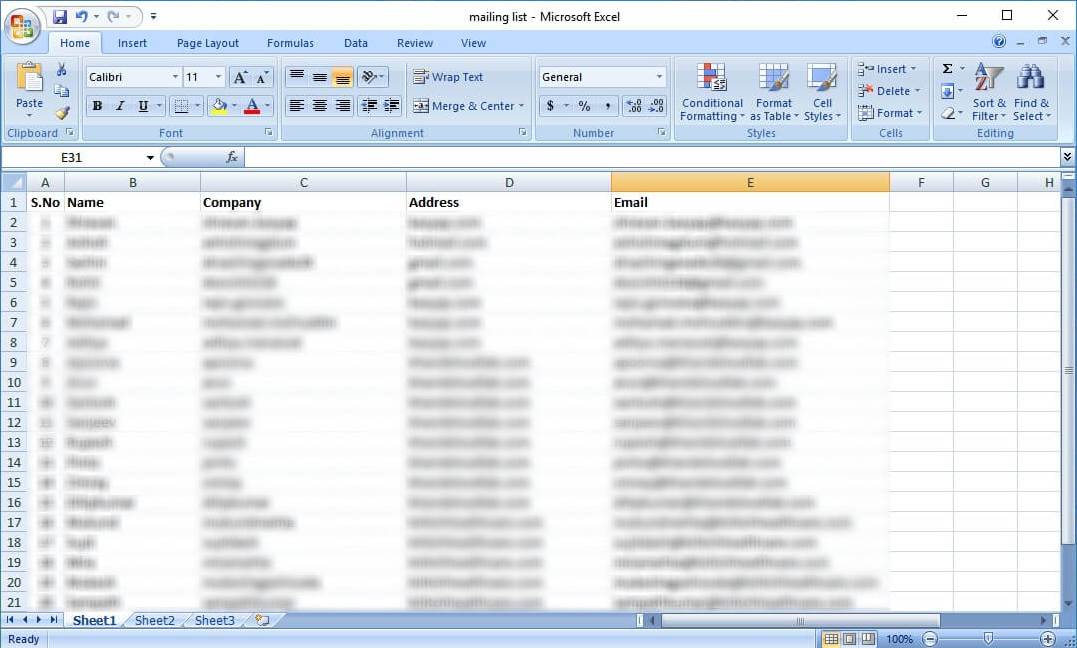
- Single Column for Emails: Ensure all email addresses are listed in a single column.
- Header Row: The email addresses must begin immediately after the header row (starting from the 2nd row).
- Clean Data: Remove any extra spaces, empty lines, or blank cells before and after the email address column.
- File Size Limit: The maximum supported file size is 10MB.
- Additional Data: We support additional columns in the CSV file. These will be retained and downloaded along with your verification results.
Troubleshooting CSV Issues
Sometimes a file may appear correct in spreadsheet software like Microsoft Excel but contain hidden issues when viewed in a text editor (e.g., Notepad). These issues can include:
- Hidden characters (Tabs, commas, special characters)
- Delimiter mismatches
- Invalid characters or hidden Unicode symbols
- Extra separators not visible in standard spreadsheet views
If you receive an "Invalid Data" error, we recommend checking your CSV file in a text editor to identify and resolve these hidden problems before re-uploading.