Getting Started
Steps to clean your first list
Step 1. Signup for a free Bouncify account
If you are new to Bouncify then signup here. We provide 100 verifications free.
If you already have a Bouncify account, then login.
Step 2. Upload the list
Click the 'Add List' button and then select 'Upload File' tab to select a CSV file containing email addresses from your computer and upload. Or select the 'Paste Email' tab to paste the email addresses directly.
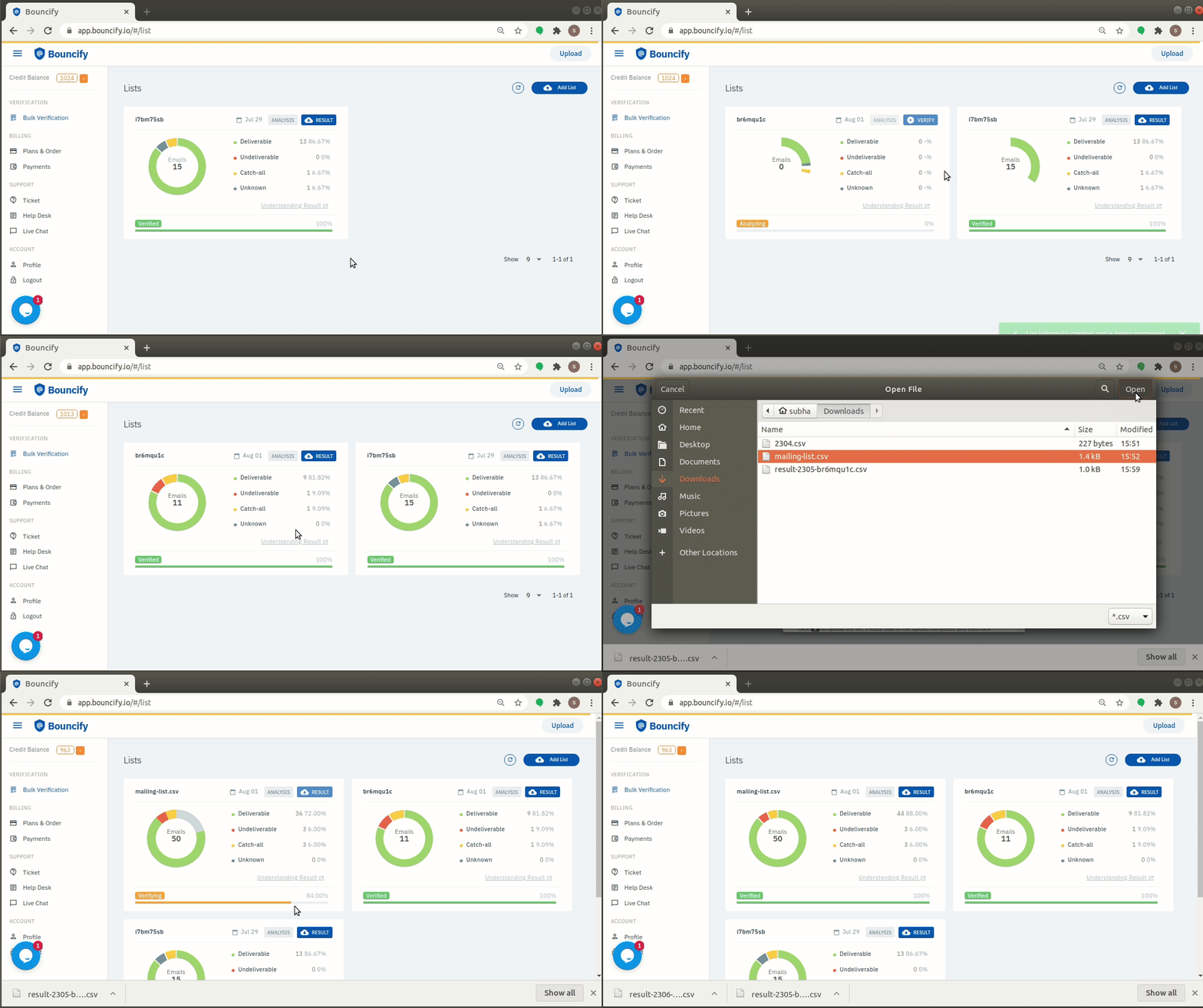
Step 3. Analyze the list (free)
Our system automatically analyzes your list and shows you insights that helps you understand the nature of your list.
Step 4. Verify the list
Click 'Verify' to clean your list. Our system queues your list and starts verifying the emails. As we verify the list you will see the progress as well as the real-times updates of the results in the right side pane.
This requires verification credits equal to the amount of email addresses in your list that needs to be verified. You can purchase credits in bulk from within your account under 'Plans & Order'.
Step 5. Download the result
Once your list is verified you will be able to download the list data with the result in CSV format.
Do I need to download and install any software on my PC?
You do not require to download or install any software to use Bouncify. Any web browser is enough as, Bouncify is an online email verification tool.